Circuits and devices
Connect devices, rooms and other items
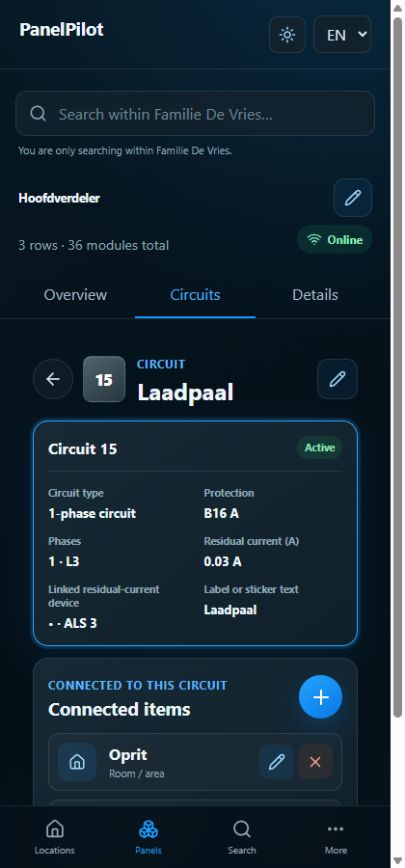
Connected items let you find the refrigerator, kitchen or outside lighting at the correct circuit.
Watch the video
Link devices and rooms
Transcript
- Open the circuit and choose the add action beside connected items.
- Select an existing suggestion or create an item with a clear name and the correct type, such as device, room or lighting.
- Save and check the association in the circuit details. Repeat for other connections.
Step by step
Open the circuit and choose the add action beside connected items.
Select an existing suggestion or create an item with a clear name and the correct type, such as device, room or lighting.
Save and check the association in the circuit details. Repeat for other connections.
Use the pencil to edit an item’s name or type. This applies to the selected connection without unintentionally renaming other uses of a shared item.
Use the detach action to remove the item from this circuit. Review the confirmation and the remaining list.
Good to know
- Specific names such as “Kitchen refrigerator” are easier to find than “Device 1”.
- Detaching an item in the app does not switch the physical device off.