Panels and layouts
Manage components and cover plates
Components represent physical elements such as main switches, RCDs, circuit breakers, meters and relays.
Watch the video
Add a component
Transcript
- Enter layout editing mode and select a free position.
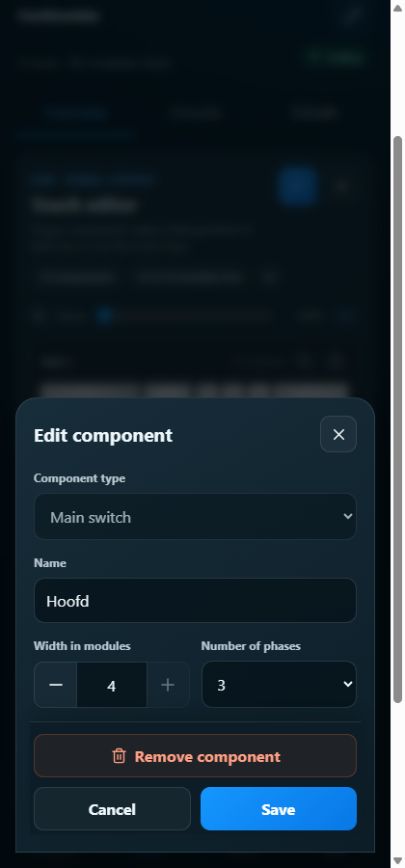
- Select the correct type, such as a circuit breaker or main switch. Choose unknown if you cannot yet identify it.
- Check description, module width and number of phases. Save and verify the position.
Change the layout
Transcript
- Move a component using the available drag or keyboard controls. Check its destination; overlapping positions or placement outside the row are rejected.
- Open an existing component in editing mode to change the available properties.
- Use Remove component only when it should leave the digital record. Read the confirmation; Cancel keeps the layout unchanged.
Step by step
Enter layout editing mode and select a free position.
Select the correct type, such as a circuit breaker or main switch. Choose unknown if you cannot yet identify it.
Check description, module width and number of phases. Save and verify the position.
Open an existing component in editing mode to change the available properties.
Choose Cover plate for covered free space and set its width. Use the corresponding action to free that space later.
Use Remove component only when it should leave the digital record. Read the confirmation; Cancel keeps the layout unchanged.
Good to know
- A cover plate is not a component or circuit and does not appear as a separate search result.
- In the locked layout, circuit-forming elements open their circuit; other components open their details and documents.